
Features
Everything in blankit.
Renewals, client records, carrier and regulatory updates, marketing, claims and reporting — for the whole book.
Renewals
Check every carrier renewal and answer it in your firm’s name.
Upload a carrier’s renewal and blankit prices every benefit line beside the carrier’s ask. You check the counter, change what you want, and send it under your own brand.
Fair renewal, line by line
Upload any carrier’s renewal and see a fair premium for every benefit line beside what the carrier asked.
Nine-step health and dental pricing
Health and dental are repriced from the group’s own claims and the carrier’s own figures, in nine published steps.
Counter in your firm’s name
The renewal report and the carrier challenge go out with your firm’s name, logo and colours.
Type over any counter
Change any line’s counter yourself; the carrier challenge waits for you to read it before it is sent.
Renewals due in 120 days
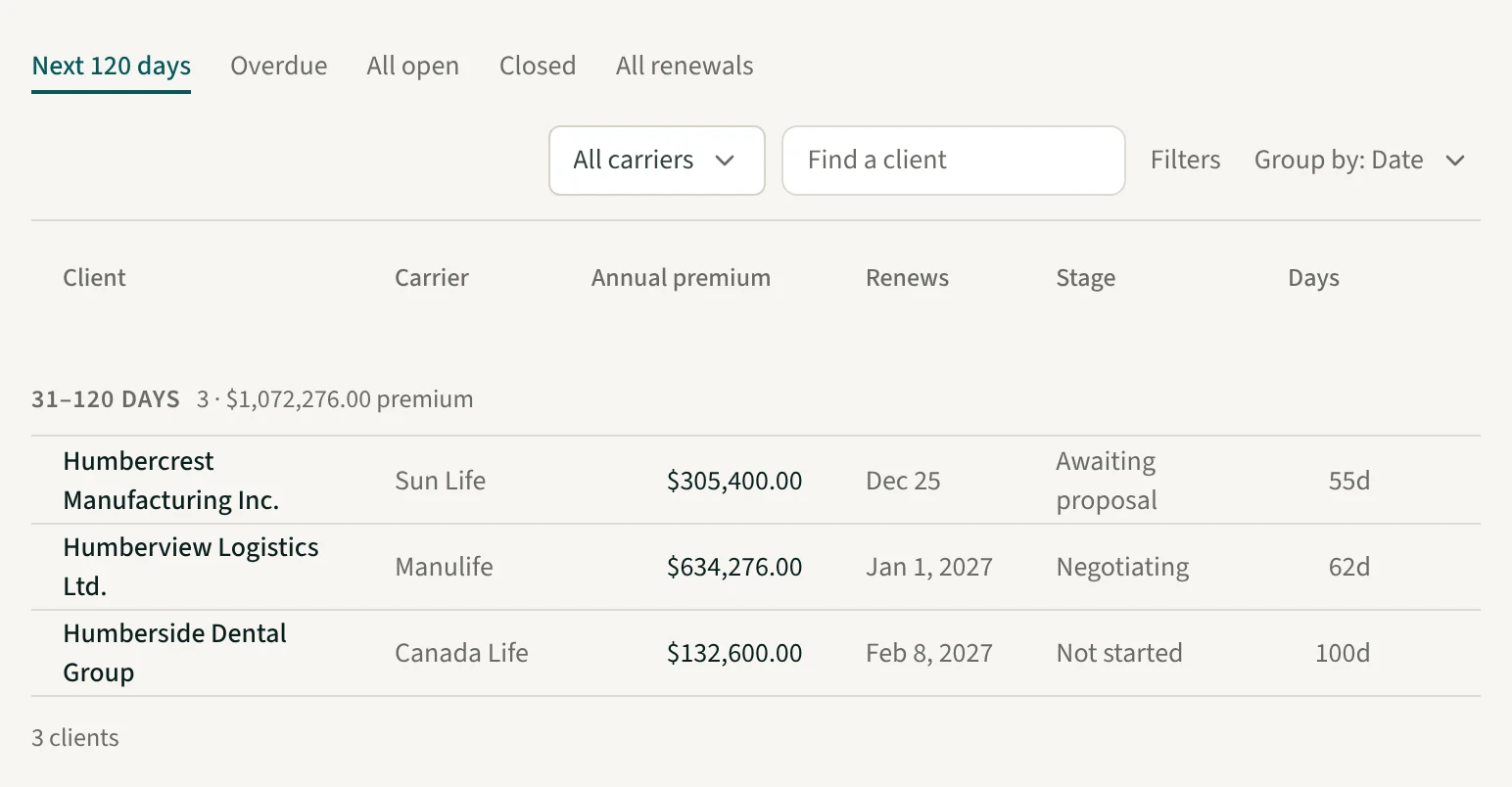
See every renewal due in the next 120 days with its annual premium, and which ones are overdue.
Share it as a link
Send the client a link to a hosted deck in your firm’s colours, with a password and an expiry, and see when they open it.
Close out with a package
When a renewal settles, generate the client package in one step, or mark the renewal lost.
Renewal history by year
Look back at each client’s renewals year by year: what the carrier asked, what you countered and where it settled.
Clients
Keep every group’s plan, documents and history on one page.
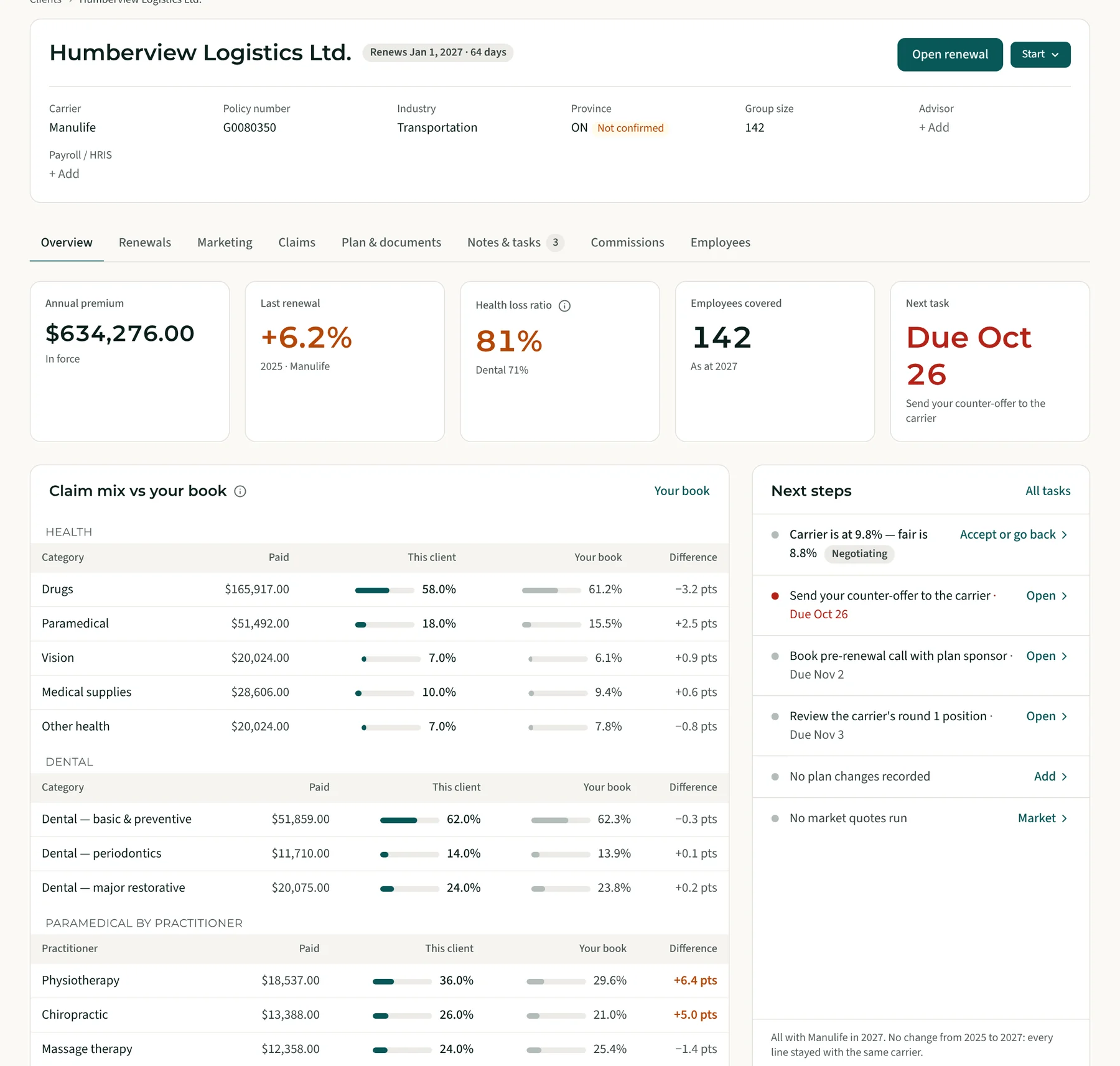
Each group gets one client page that every renewal, quote, claims report and booklet files onto. Bring your book across once and the next renewal starts from what is already there.
One page per group
Open one client page for a group’s renewals, quotes, claims, booklets, tasks and documents.
Import your book
Bring your client list across from a spreadsheet or a connected CRM, and see what will change before anything is saved.
Search by industry
Sort and filter your clients by NAICS industry code or sector.
Booklets read once
Upload a booklet and its plan design is read and kept on the client’s Documents tab.
Employee census by year
Upload a group’s census in whatever layout it comes in, map its columns once, and compare it year to year.
Plan designs compared
Compare booklets, quotes and contracts side by side, and benchmark a plan design against your library.
Client-ready guides
Send a plan sponsor ready-made benefits guides for them and their staff.
Claims against your whole book
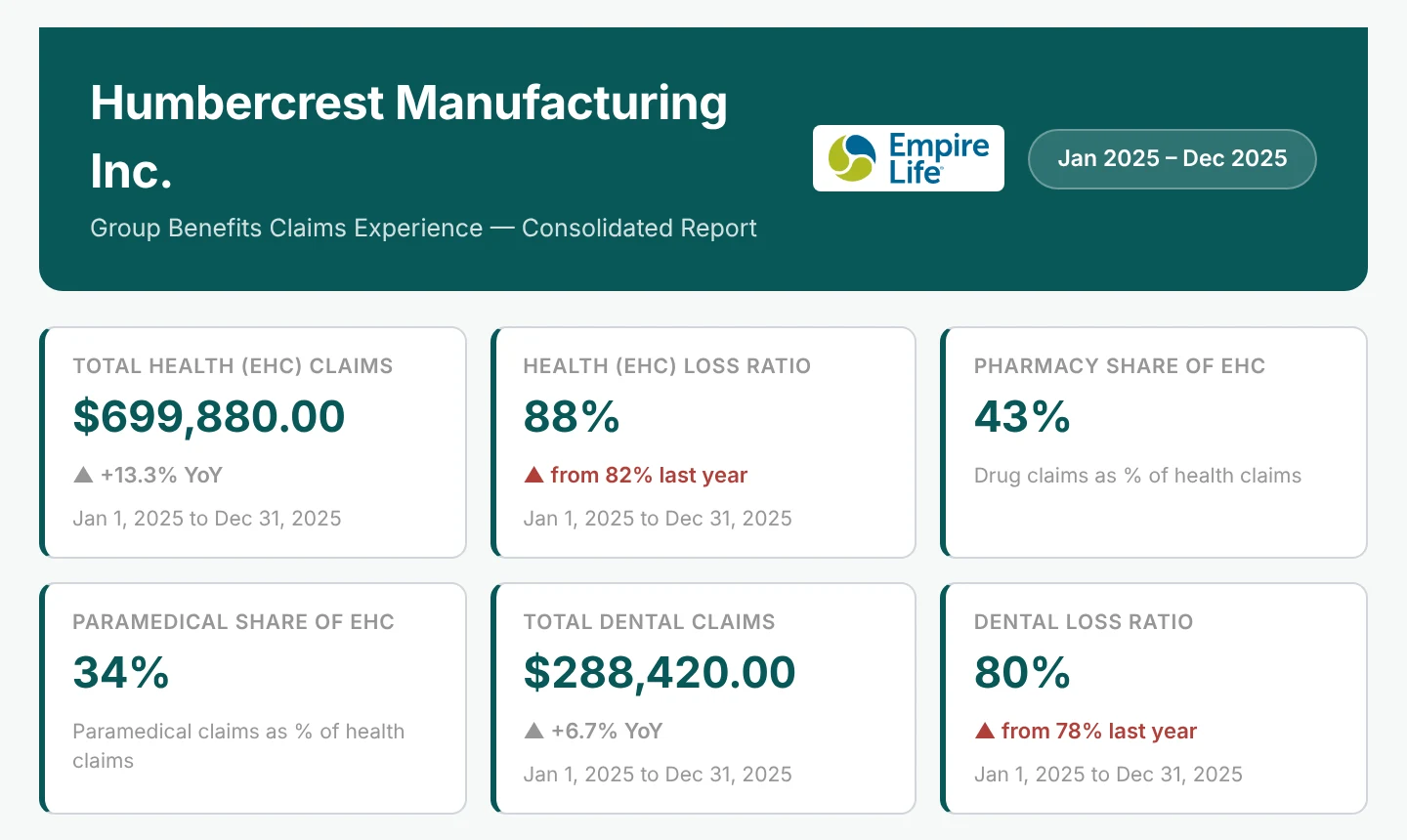
Turn a carrier’s claims experience report into a branded report, measured against the rest of your book.
Inbox & tasks
Forward carrier email in, and pick up the work where it lands.
Your firm gets its own forwarding addresses, one per kind of document, and what arrives is filed to the matching client. Every step leaves a task, so the next one is already on your list.
An address for each purpose
Forward renewals, claims reports, carrier quotes, booklets, commission statements and premium bills to their own firm address.
Filed to the right client
A forwarded document is matched to its client and filed on that client’s page.
A queue for the unmatched
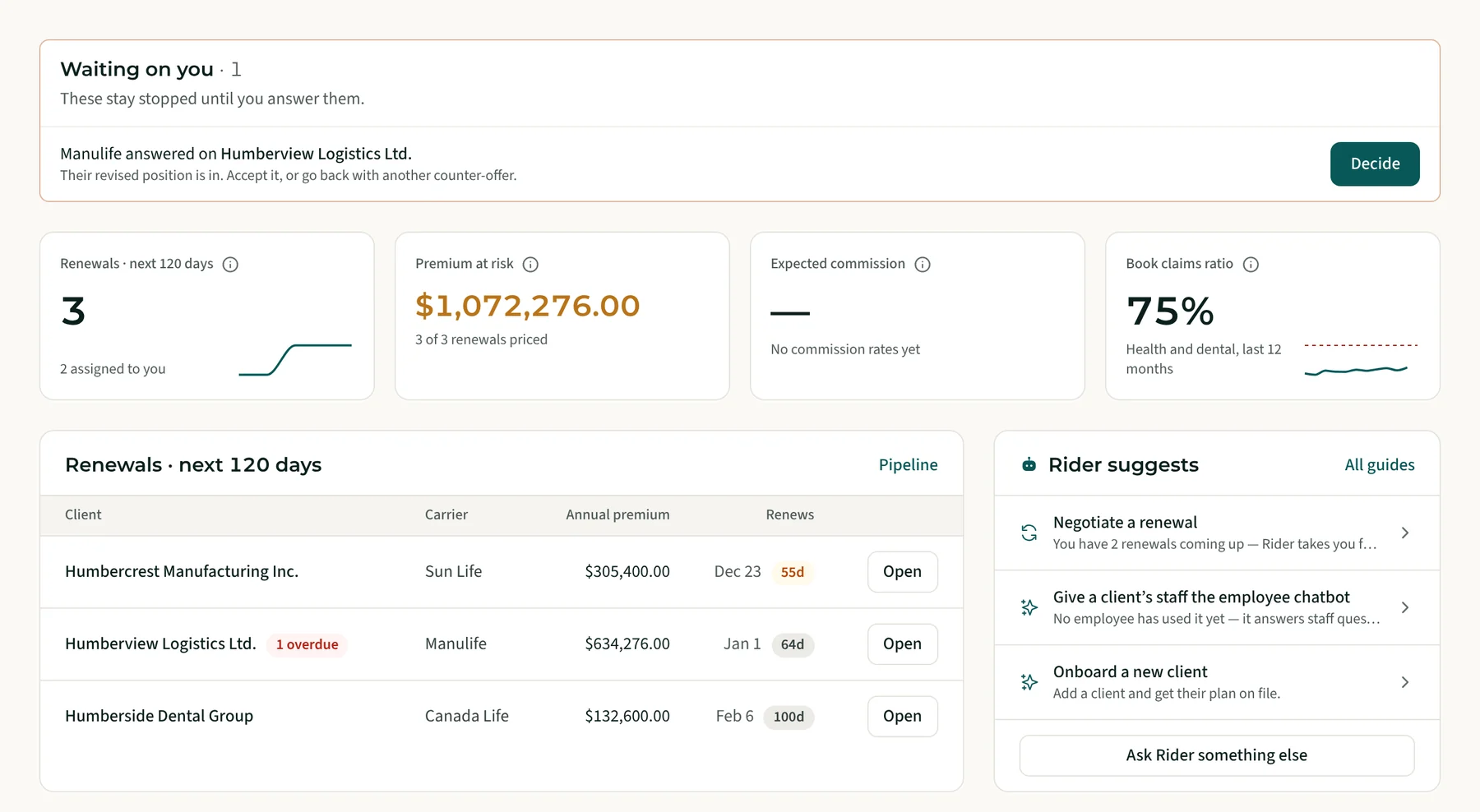
Anything blankit cannot match waits on your Overview for you to review and file.
Every step a task
Each step is logged on the client as a task, and the next step opens as a follow-up.
Bring in past history
Forward old renewals and old claims reports to their own addresses to fill in each client’s history.
Slack, Teams and email
Send a renewal in or ask about a client from Slack, Microsoft Teams or your own inbox.
Market intelligence
Know what is changing for your clients before they ask.
Regulatory changes and carrier announcements are tracked in one place and tied back to your book. Rider, the AI guide, walks you through the work that follows.
Regulation tracker
Follow Canadian regulatory changes by province, each showing how many of your clients it affects.
Carrier updates
Read carriers’ announcements in one feed; the incumbent’s updates are added to the client’s renewal package.
Carrier scorecard
See which carriers price aggressively and what each one offers.
Rider, the AI guide
Ask Rider about a client, or let it walk you through a job one step at a time, drafting each answer for you to check.
Marketing & growth
Find new groups, take them to market and win them.
Track the groups you are quoting next to the clients you already have. Send a group to market, follow every carrier’s reply, and ask carriers to price plan changes from the same record.
Prospects
Track the groups you are quoting, with their own tasks, and convert one to a client when it signs.
Sales funnel
See your win rate, how long a win takes, and why the losses were lost.
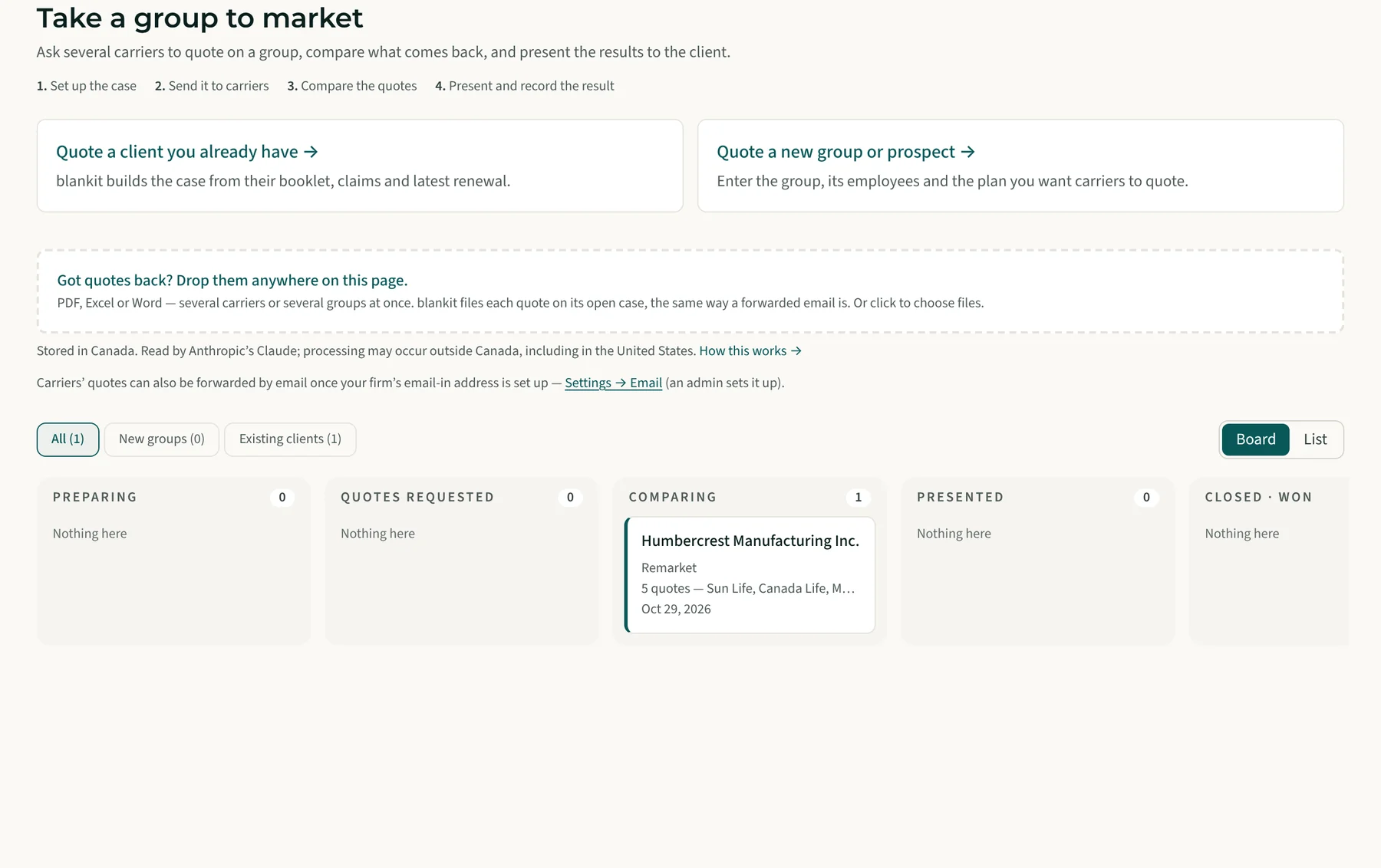
Take a group to market
Send a request for quotes to several carriers and compare what comes back on the same terms.
Quote tracking
See which quotes are outstanding, which are in, and which need more information.
Email a carrier
Start an underwriter email from a ready-written template.
Coverage-change requests
Ask a carrier to price a plan change; blankit writes the request and keeps track of the answer.
Reporting
See how the whole book is doing, and where it is not.
Reports run across every client at once, from the book’s premium and carriers to its red flags. Each one opens in blankit and downloads to Excel or a branded PDF.
Executive summary
A summary of the whole book with a branded PDF: carriers, clients, renewal results and growth by month.
Reports library
Ready-made reports, one click to Excel: renewals by month, outcomes, rate guarantees ending and more.
Book performance
See the average premium increase across the book and by line of coverage.
Claims across your book
See where the book’s health and dental dollars go — the yardstick each client is measured against.
Carriers across your book
See which carriers hold your premium, which way it is moving, and which groups moved.
Red flags across your book
Find the groups out of line with the rest of your book on claims, premium per employee and increases.
Commissions matched to statements
Check each carrier statement against the commission you expected, and export it for QuickBooks Online or Xero.
Employee chatbot usage
See how much each employer’s staff use Paige, and what they ask about.
Beyond the desk
For the client’s staff, under your brand.
What the plan sponsor and their employees see carries your firm’s name. And you can reach blankit from the tools you already use.
Paige, the employee chatbot
Staff ask about their own booklet and get the page it came from, in 13 languages.
Employee benefits sites
A plain-language site for each group, built from its booklet.
Under your brand
Reports, carrier emails and employee sites carry your firm’s name, logo and colours.
English and French
The renewal report and the carrier challenge go out in either language.
Use it from your own AI
Connect the AI tool your firm already uses to blankit.
Self-funded book
Compare ASO groups’ admin fees across your book, and see late statements and the latest surplus or deficit.
Run it on one of your own renewals.
The demo is a full firm with invented clients. No card, no call.